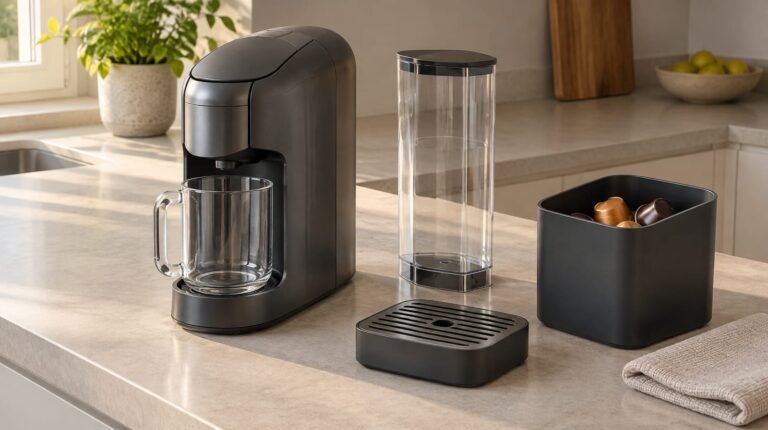
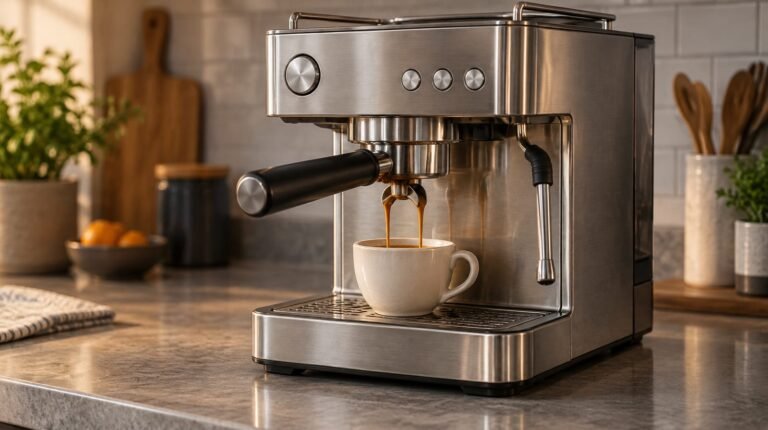
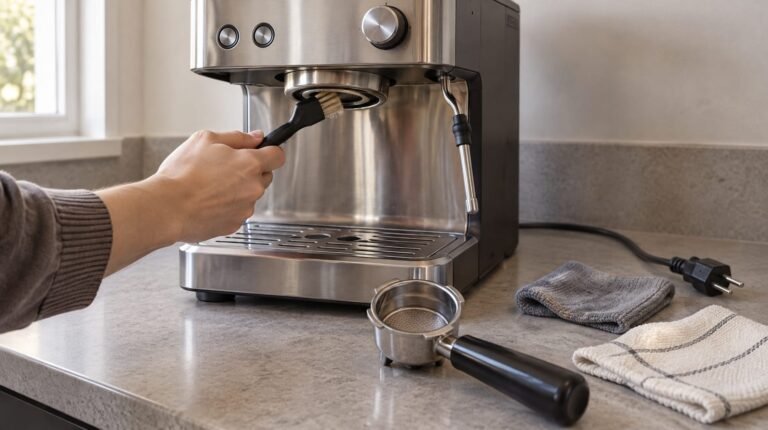
How do you clean a Breville espresso machine without confusing the cleaning cycle with descaling? Cleaning tablets tackle coffee oils, while descaler tackles mineral deposits: neither replaces the other.
For the Barista Express BES875, Breville’s manual gives a useful distinction: a flashing CLEAN / DESCALE light means the cleaning programme is due. A steady light means it is time to descale. Choose the task indicated rather than treating both prompts as the same job.
The recurring supplies deserve a plan, too. Breville recommends replacing the Barista Express water filter every two months, or more frequently in hard-water areas. That gives you a starting budget of six replacement filters a year at the standard interval, before adding tablets and descaler.
This guide covers everyday care, the Barista Express programmes, tablet-free alternatives and the One-Touch CoffeeHouse separately. You will also learn how to calculate an annual supply budget using your local pack prices, keeping replacement parts and repairs separate.
This article was produced with the help of AI and reviewed before publication.
In this article
- How to clean a Breville espresso machine
- Deep-clean the removable parts and steam wand
- Run the Barista Express cleaning cycle with a tablet
- Clean without tablets using water or espresso powder
- Understand the washing-up-liquid alternative
- Descale the Barista Express and rinse every circuit
- Can you run vinegar through the machine?
- Brush the integrated grinder without damaging the burrs
- Replace the water filter on the right schedule
- Clean a Breville One-Touch CoffeeHouse
- Calculate your annual maintenance-supply budget
- Resolve lingering residue or recognise a fault
- Choose the right job and budget for it
How to clean a Breville espresso machine
Choose the cleaning task
Identify your model before choosing programme controls: Breville says descaling procedures differ between its Oracle, Barista and Bambino machines. Brewing With Dani gives cleaning-cycle guidance for both Sage and Breville machines. UK owners with Sage-labelled machines should use the matching Sage manual and check compatibility when choosing Sage descalers and filters. Start with the everyday routine below after making coffee.
Clear coffee and milk residue after use
- Discard the spent puck while it is still warm.
- Rinse the portafilter briefly under running water.
- Dry the portafilter with a clean towel.
- Flush the group head without coffee; Coffee Machine Repairs recommends 2–3 seconds.
- After steaming milk, wipe the wand with a damp cloth.
- Purge the wand; Coffee Machine Repairs recommends releasing steam for 1–2 seconds.
- Remove the drip tray and empty the collected liquid.
Deep-clean the removable parts and steam wand
For two to five coffees daily, Breville recommends weekly cleaning of most components; clean the tank every two or three weeks.
Wash the baskets, tank and drip tray
- Remove the tank’s filter before washing, as Breville’s Barista Express BES875 manual requires.
- Hand-wash the baskets, portafilter, tank and drip tray with warm water and mild washing-up liquid. Coffee Machine Repairs recommends soaking only the metal portions, not the whole portafilter.
- Rinse thoroughly and dry the washed parts. Breville prohibits putting Barista Express components in a dishwasher.
Clear the shower screen and basket holes
- Let the machine cool before gently brushing and wiping coffee residue from the group-head area, following Coffee Machine Repairs’ guidance.
- Clear blocked Barista Express basket holes with the cleaning tool’s fine pin, as Breville instructs.
Unblock the steam-wand tip
- Clear the Barista Express wand opening with the cleaning tool’s pin.
- If it remains blocked, remove the tip using the tool’s built-in spanner, as Breville instructs.
- Soak the detached tip in warm water and clear its holes with the pin, following Noel Leeming’s steam-tip cleaning advice.
- Refit the tip before purging the wand to finish.
With the removable parts clean, move on to the Barista Express’s internal cleaning programme.
Run the Barista Express cleaning cycle with a tablet
Use Breville’s Barista Express BES875 procedure for this tablet-cleaning cycle.
- Fill the water tank.
- Empty the drip tray.
- Fit the cleaning disc into either the one-cup or two-cup basket.
- Place the basket in the portafilter.
- Add one cleaning tablet.
- Lock the portafilter into the group head.
- Switch the machine off.
- Hold 1 CUP, 2 CUP and POWER together for 3 seconds.
- Allow approximately 5 minutes for the programme to finish with two beeps.
- Remove the portafilter and check whether the tablet has dissolved.
- If tablet remains, switch off, then hold 1 CUP, 2 CUP and POWER for 3 seconds; let the programme finish. Repeat until dissolved.
- Rinse the basket and portafilter before using them again.
If you want to clean without a tablet, choose between a water-only cycle and an espresso-cleaning powder.
Clean without tablets using water or espresso powder

Coffee Machine Repairs says water-only backflushing clears loose grounds and some oils, but tackles persistent oils less effectively than espresso cleaner. Use water between detergent cleans, rather than as their replacement. It also warns against baking soda in the brew system because it can leave residue and blockages.
Run a water-only cleaning cycle
For the Barista Express BES875, use Breville’s programme controls with a tablet-free cleaning disc.
- Fill the water tank.
- Empty the drip tray.
- Fit either the one-cup or two-cup basket into the portafilter.
- Put the cleaning disc into the basket without adding cleaner.
- Lock the portafilter into the group head.
- Switch the machine off.
- Hold 1 CUP, 2 CUP and POWER together for 3 seconds.
- Allow approximately 5 minutes for the programme to finish.
- Remove the portafilter.
- Rinse the basket and portafilter.
Use a compatible espresso-cleaning powder
Coffee Machine Repairs recommends espresso-equipment powder as a tablet alternative, using its packaging directions for the dose. Choose a powder intended for backflushing.
- Fill the Barista Express BES875 water tank.
- Empty the drip tray.
- Fit either the one-cup or two-cup basket into the portafilter.
- Place the cleaning disc in the basket.
- Add the powder’s labelled backflush dose to the basket containing the disc.
- Lock the portafilter into the group head.
- Switch the machine off.
- Hold 1 CUP, 2 CUP and POWER together for 3 seconds, as Breville specifies for the BES875.
- Allow approximately 5 minutes for cleaning to finish.
- Remove the portafilter.
- Rinse the basket, disc and portafilter to remove remaining cleaner.
- Run several water-only cycles with the disc and no powder, refilling the tank and emptying the tray each time. Lock in the portafilter, switch off, then hold 1 CUP, 2 CUP and POWER for 3 seconds; allow approximately 5 minutes per cycle.
- Rinse the basket and portafilter before brewing.
Understand the washing-up-liquid alternative
Pesado describes washing-up liquid as a substitute for cleaning tablets. The warning below explains why washing-up liquid is better kept for hand-washing removable parts.
Coffee Machine Repairs warns against backflushing washing-up liquid: it produces excessive foam, can remain trapped and may affect seals. Keep it for hand-washing removable parts, followed by thorough rinsing. For the group head, choose the espresso-cleaning powder method instead; use water-only backflushing between detergent cleans.
That covers the oil-cleaning options. Now tackle descaling as a separate job.
Descale the Barista Express and rinse every circuit
Mix one sachet with 1 litre of water
Breville’s BES875 procedure uses one sachet of Breville Descaling powder dissolved in 1 litre of water.
Treat the coffee, steam and hot-water circuits
- Remove the water filter before filling the tank with the prepared solution. Refit the tank; keep it installed during treatment and never let it run completely dry.
- Hold 2 CUP, then hold POWER as well to enter descale mode.
- Wait until POWER, 1 CUP, CLEAN/DESCALE and HOT WATER/STEAM remain steadily illuminated.
- Press 1 CUP and allow approximately 25 seconds for the coffee circuit.
- Turn the dial right to steam and allow approximately 13 seconds.
- Turn the dial left to hot water and allow approximately 8 seconds.
- Return the dial to STANDBY.
- Repeat the coffee, steam and hot-water treatments: 1 CUP for approximately 25 seconds, dial right for 13 seconds, then left for 8 seconds. Return to STANDBY.
- Remove and thoroughly rinse the tank after treatment.
- Fill the tank with fresh, cold water to its 2-litre maximum and refit it.
- Rinse every circuit: press 1 CUP for approximately 25 seconds, turn the dial right for 13 seconds, then left for 8 seconds. Return to STANDBY.
- Press POWER to exit descale mode.
Rinse with 2 litres of fresh water
Treat the fresh-water pass as part of the job, not an optional extra: Breville requires rinsing through all three circuits.
Can you run vinegar through the machine?
Breville’s general guide allows diluted vinegar at one part vinegar to one part water. However, Coffee Machine Repairs notes that some manufacturers warn against internal vinegar use and recommends a purpose-made espresso descaler instead. Choose that safer default; for the Barista Express BES875, Breville specifies its Descaling powder sachet.
Mix and circulate the diluted vinegar
Breville’s general mixture uses equal amounts of water and vinegar, filling the reservoir to MAX.
Flush out the vinegar before brewing
- Remove the water filter before adding the solution.
- Fill the reservoir to MAX with equal parts water and vinegar, as Breville’s general guide directs.
- Position a large collection vessel beneath the portafilter, hot-water outlet and steam wand.
- Switch the machine on.
- Alternate brewing, hot-water and steam functions until the solution has passed through, only where your model permits this. Home-Barista administrator HB advises against vinegar in steam boilers because rinsing them is difficult.
- Run fresh water through the machine without cleaner to remove residue.
- Perform another fresh-water flush before brewing.
Do not treat vinegar as a replacement for oil-removing detergent: Coffee Machine Repairs says it is not formulated to remove coffee oils.
After treating and rinsing the water circuits, turn to the integrated grinder.
Brush the integrated grinder without damaging the burrs
Empty the grinder and disconnect power
Breville recommends cleaning the grinder every two or three weeks at two to five coffees daily. Its grinder guide recommends more frequent cleaning with darker roasts.
Brush the burrs and chute
Choose dry brushing for routine cleaning. Breville warns that soaking burrs in hot soapy water risks rust. Keep rice out: Breville warns it can damage burr grinders.
Empty, brush and reassemble the grinder
Use this sequence for a routine clean; Noel Leeming supplies the hopper and burr-removal details, while Breville requires disconnecting power before internal cleaning.
- Unlock the hopper and empty its beans.
- Select the coarsest grind setting and run the grinder until empty, following Noel Leeming’s method.
- Disconnect the machine from power before touching the burr assembly.
- Twist the upper burr to unlock it, then lift it out.
- Brush grounds from both burrs using the burr brush.
- Brush the outlet to clear grounds from its lower end.
- Refit the upper burr and hopper.
- Return to your previous grind setting before adding beans.
For the BES875, Breville says to stop immediately if the grinder ratchets. Disconnect power, remove the hopper and clear the chute obstruction, then remove the upper burr and clear the lower burr.
Replace the water filter on the right schedule
Match the cartridge to the machine
Choose a cartridge approved for your model, rather than buying by brand alone. Breville recommends replacing the Barista Express BES875 filter every two months, sooner in hard water. Other cartridges should follow their own specified schedule.
Condition and install the replacement
Use Breville’s BES875 conditioning instructions for the replacement:
- Take out the water tank.
- Remove and discard the old filter.
- Unpack the replacement and soak it in a cup of water for 5 minutes.
- Rinse it under cold running water for 5 seconds.
- Place it in its holder.
- Move the holder’s date dial forward by 2 months.
- Push the assembly down into the tank until it locks in place.
- Slide the tank back into the machine and secure it.
The Barista Express routine is now covered. If you own a One-Touch CoffeeHouse, use its separate cleaning guidance instead.
Clean a Breville One-Touch CoffeeHouse
Identify the machine before choosing a programme
Check the model name before choosing controls: CoffeeForums’ One Touch discussion also includes Barista Touch and Oracle One Touch owners. Do not transfer their programme instructions to your CoffeeHouse.
- Look for your CoffeeHouse model’s handbook on Breville’s support site before choosing cleaning controls.
- Check the descaling mixture and how often descaling is due.
- Check the button sequence that starts the cleaning programme and how often that programme is due.
Clear residue from the milk assembly
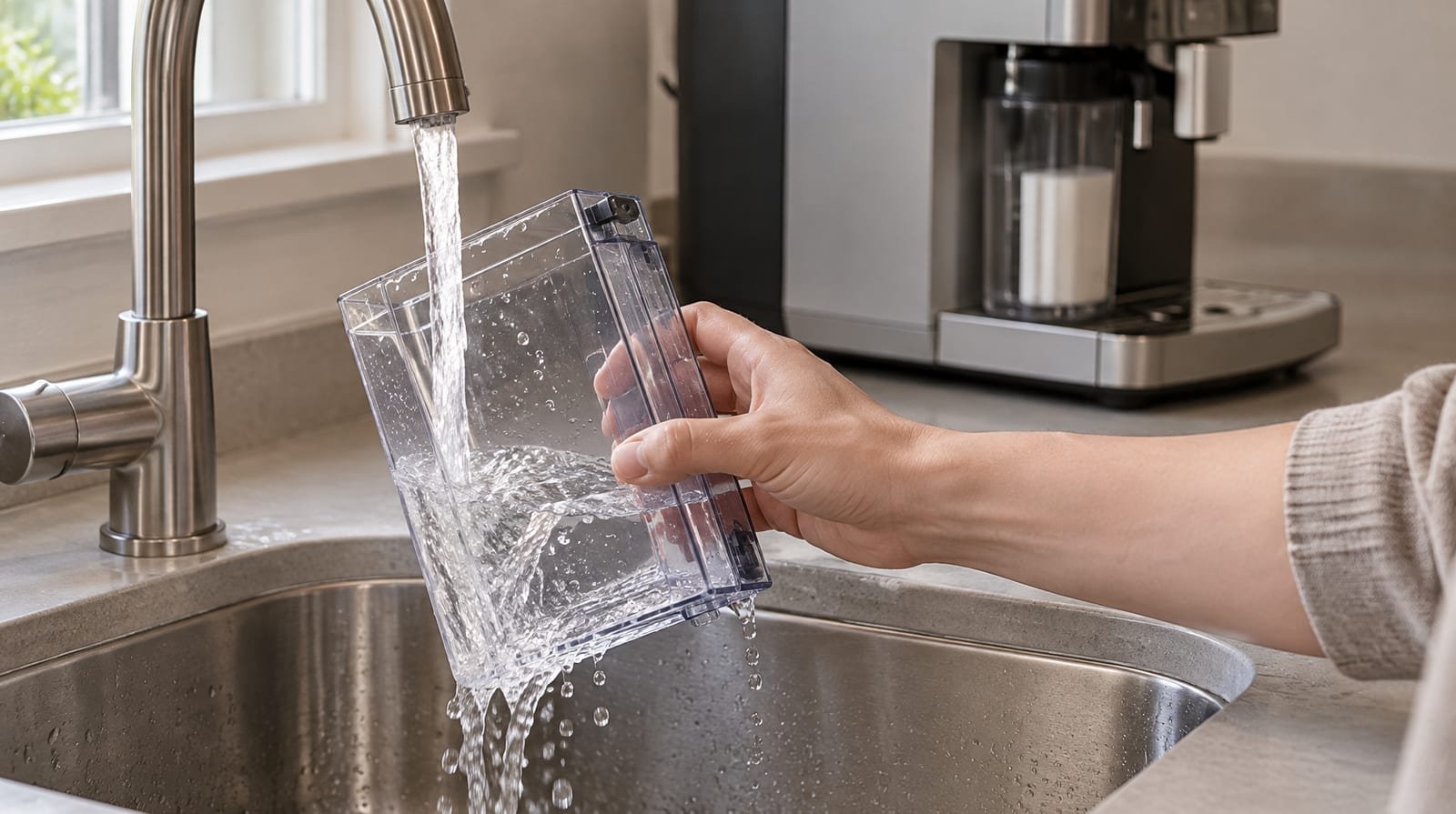
- Check the One-Touch CoffeeHouse handbook’s milk-system section for how to detach and rinse the frothing assembly, tubing and wand before dismantling anything.
- Detach and clean those parts only as the handbook directs.
- Check whether your model has a milk-clean programme and, if so, follow its handbook instructions.
Treat persistent noise and blue flashing lights as a reason for diagnosis, not repeated cleaning. The JustAnswer owner reported both continuing despite descaling and extensive milk-system cleaning.
Once you have chosen the routine for your machine, turn its recurring supplies into an annual budget.
Calculate your annual maintenance-supply budget
Count filters, tablets and descaling treatments
- Allow six BES875 filters annually on the established replacement schedule, increasing your allowance if you replace them sooner.
- Estimate tablet use from Pesado’s four-to-eight-week interval, or three to four weeks for multiple daily shots. That gives roughly 7–13 tablets annually, or 13–18 with heavier use.
- Count descaling treatments according to water hardness and the machine’s prompts, rather than assuming a fixed annual quantity. Meraki Tech links frequency to hardness; Breville’s BES875 manual uses the steady CLEAN/DESCALE light.
Multiply by local pack prices
Check Sage’s Coffee & Espresso Cleaning Supplies page for UK descaler and filter options, prices and pack contents. For tablets, Amazon UK lists a Breville-compatible CrediGarden eight-pack. Cost per filter or tablet = pack price ÷ quantity; descaler cost per treatment = pack price ÷ treatments supplied.
Annual consumables = filter count × filter cost + tablet count × tablet cost + descaling count × treatment cost. Breville specifies two-month filter changes for the BES875; Pesado suggests tablet cleaning every four to eight weeks. That gives an annual starting point of six filters and 7–13 tablets: one eight-pack for 7–8 cleans, or two for 9–13. Count descaling from steady CLEAN / DESCALE prompts, allowing one Breville sachet per treatment.
Keep replacement parts and repairs separate
Keep reusable brushes and cloths, occasional seals and other replacement parts, and a repair reserve outside that consumables total.
A supply budget tells you what to keep on hand. The final check is whether cleaning has resolved the symptom.
Resolve lingering residue or recognise a fault
Rinse away cleaner taste
Pesado links detergent taste after tablet cleaning to insufficient fresh-water flushing.
- Run water alone through the machine to clear remaining cleaner, as Breville recommends.
- Give the machine an additional fresh-water flush before brewing again, following Breville’s guidance.
Respond to slow flow or weak steam
Coffee Machine Repairs identifies reduced flow and weak steam without unusual mechanical noise as potentially cleaning-related. Pesado links rancid bitterness to retained coffee oils; Breville says mineral build-up can impair BES875 brewing flow. Match the treatment to the likely residue rather than repeatedly buying cleaner.
Stop when symptoms suggest a mechanical fault
Coffee Machine Repairs recommends professional repair for failure to heat, no group-head water or leaks inside the housing. Persistent loud pump noise after descaling, or errors continuing after cleaning, also warrant repair rather than further home cleaning.
Choose the right job and budget for it
You can now choose the cleaning task, complete the procedure for your model and calculate its recurring supply allowance. Keep that allowance separate from replacement parts and a repair reserve.
For tablet-free oil cleaning, choose a compatible espresso-cleaning powder rather than washing-up liquid. Coffee Machine Repairs says espresso powder can replace tablets, while washing-up liquid can foam excessively, leave trapped residue and affect seals.
Use your local £ pack prices to compare the cost per treatment, not just the price per pack. Record actual supply use over the year, then adjust your next annual allowance rather than buying to a generic total.
Sources
- How to Use Breville Espresso Cleaning Tablets — pesado585.com
- the Barista Express™ Instruction Book — assets.breville.com
- How to Clean an Espresso Machine: A Step by Step Guide — breville.com
- How to run a cleaning cycle on your Sage or Breville home espresso machine — brewingwithdani.com
- Coffee & Espresso Cleaning Supplies — sageappliances.com
- breville clean without tablet — coffeemachinerepair.co.za
- How to Clean a Breville Espresso Machine: 3 Cleaning Methods — wikihow.com
- Cleaning & Maintenance — breville.com
- How to Clean Your Breville Coffee Machine — noelleeming.co.nz
- Vinegar for descaling an espresso machine? — home-barista.com
- How to clean a coffee grinder — breville.com
- What Does It Cost to Maintain a Super Automatic Espresso Machine Each — coffeewarehouse.ca
- Espresso Machine Maintenance Costs: A Realistic Annual Budget — merakitech.com
- How to clean breville one touch coffee machine? — coffeeforums.co.uk
- I have been trtying to clean my Breville One-Touch — justanswer.co.uk
- Cleaning tablets for BREVILLE espresso machines 8 pack uses gentle yet effective biodegradable ingredients to… — amazon.co.uk